Fix a PHJOY Withdrawal Problem by Finding Where the Request Stopped
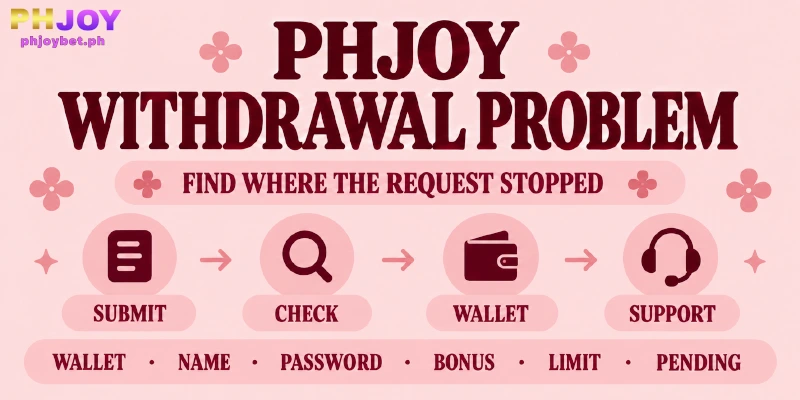
A PHJOY withdrawal problem starts in one of two places: the Withdrawal screen, where six conditions decide whether Submit goes through, or your wallet, after the request has left. You can check all six in My Account and on that screen before you contact anyone. On the wallet side, one figure matters first: PHJOY accepts ₱20,000 in a request, while a Basic GCash wallet lists ₱5,000 a month as incoming.
Three Setup Gates Behind a Withdrawal Problem at PHJOY: Wallet, Name, and Password
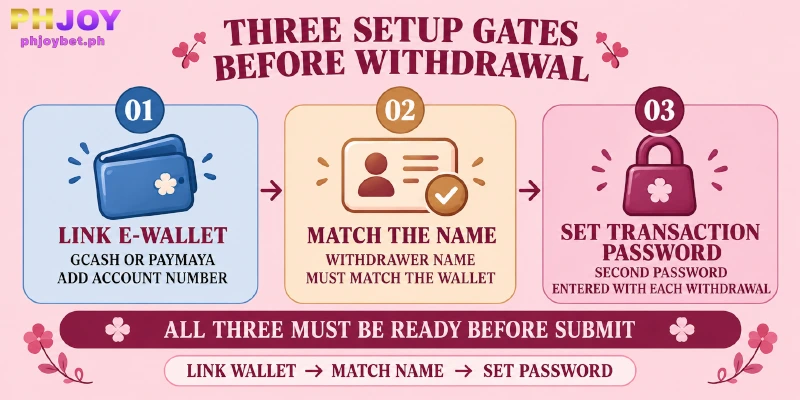
When a PHJOY withdrawal failed to go through or Submit refused the request, start with three of the six conditions, all set in My Account. They are a linked e-wallet (the GCash or PayMaya account that receives your payout), a name that matches that wallet, and a Transaction Password (the extra password that confirms each withdrawal).
Work through them in that order, because the name check needs a wallet to compare against, and a withdrawal cannot go out until all three are in place.
No GCash or PayMaya Wallet Is Linked
With no wallet linked, the Withdrawal screen offers Add wallet where your GCash or PayMaya choice would sit. PHJOY pays withdrawals to those two wallets only, so a bank account cannot stand in, even though UnionBank online banking is one of the six deposit methods. You link a wallet in four steps:
- Open My Account and choose Link E-wallet.
- Pick G-Cash or PayMaya as the E-wallet.
- Enter the wallet owner’s full name in Name on Card, then fill in E-wallet type and Account Number.
- Press Submit. When the wallet appears on the Withdrawal screen, this gate is closed.
The Withdrawer Name Is Not the Wallet’s Name
PHJOY requires your Withdrawer Name to match the name on your withdrawal account, and the withdrawal fails when they differ. Three entries must read the same: the Withdrawer Name under Personal Information, the Name on Card in Link E-wallet (the wallet owner’s full name), and the name registered on the GCash or PayMaya account itself.
Compare the three character by character and correct the one that differs; a wallet registered to Maria Santos Cruz and a Withdrawer Name of Maria Cruz, for example, do not match. The Withdrawer Name field takes 2 to 25 characters, so if your wallet name is longer, tell Live Support before you enter a shortened version.
Take care if you took the First Deposit Bonus: the bonus terms confiscate winnings when linked account details are modified before the first withdrawal, and Name on Card is one of those details. If you have not yet made a first withdrawal, ask Live Support, under BIND AND UNBIND, which entry to change before you touch anything.
No Transaction Password Has Been Set
Before Submit, the Withdrawal screen asks for a Transaction Password, and no withdrawal goes out without one. You set one in four steps:
- Open My Account and choose Transaction Password.
- Enter a New Password.
- Type the same value in Confirm Password.
- Press Submit.
This password is separate from your login password, and you enter the password every time you withdraw. If you cannot recall the password, describe the problem to Live Support.
Check the Bonus Terms Behind Available Amount, From 10X Turnover to a ₱100 Cap
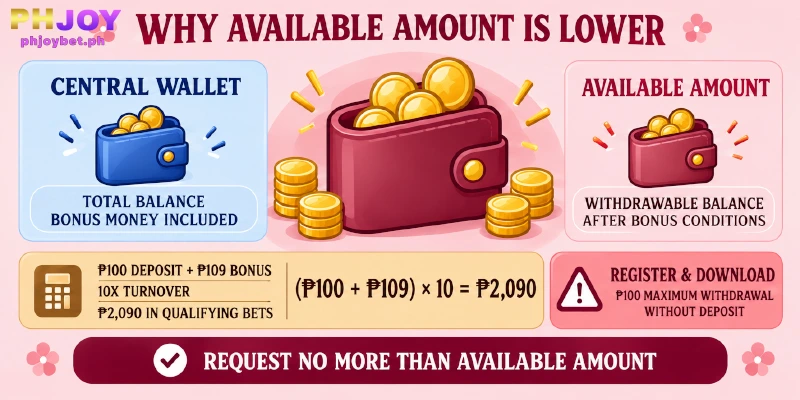
Available Amount, the fourth condition, shows how much of your balance you can withdraw. Central Wallet, next to Available Amount on the screen, shows the whole balance with bonus money included. PHJOY keeps bonus money out of Available Amount until you meet the bonus’s turnover requirement, the amount of betting that releases the bonus winnings.
The First Deposit Bonus shows how large that amount gets. A ₱100 deposit brings a ₱109 bonus, and the 10X turnover requirement applies to cash in plus bonus, so (100 + 109) × 10 means ₱2,090 in bets on Slot and Fish games. Treat that as an example, since your figure follows your own deposit tier.
A bonus is behind your PHJOY withdrawal problem when the amount you want to withdraw is higher than the Available Amount on the screen. Press Refresh Balance so the figures are current.
To close the gap, request no more than Available Amount now and keep betting on the games the bonus allows until the turnover requirement is done. As an example, with ₱2,000 in Central Wallet and ₱1,400 in Available Amount, a ₱1,400 request fits the screen, while a ₱2,000 request asks for more than the screen lets you withdraw.
Register & Download works on a different rule. PHJOY gives new members who have not yet deposited a Free Angpao (a red-envelope gift) and a Mystery Bonus, and the bonus terms set the maximum withdrawal at ₱100 if you have made no deposit.
Because ₱100 is also the minimum the Withdrawal screen accepts, ₱100 is the only amount you can request under that cap.
Two further rules can strip a bonus after the credit lands: betting on game types the bonus excludes, and claiming from the same IP address, linked account or phone number as another account. Both leave less to withdraw than the balance suggests, so the terms of the bonus you claimed set the amount you can request.
Request Size and Daily Count: ₱100 to ₱20,000, 20 a Day
Conditions five and six are limits: you can request from ₱100 to ₱20,000 per withdrawal, and PHJOY allows 20 requests a day. The Withdrawal screen shows both: the amount field takes 100 to 20,000, and the line Remaining Number of Withdrawal Today shows how many requests you have left.
Your Withdrawal screen shows a limit behind a withdrawal problem at PHJOY in two ways. When the Remaining Number of Withdrawal Today line reaches 0, further requests wait for the next day’s count, and when your Available Amount is below ₱100 there is no valid amount to submit.
To send a larger sum, split the amount into several requests. As an example, ₱35,000 takes two requests, ₱20,000 and ₱15,000, which uses 2 of your 20 for the day. Each request still draws on Available Amount, so the second one works only while Available Amount covers that request.
PHJOY counts requests, not pesos, so a ₱100 request uses one of the 20 just as a ₱20,000 request does. Frequent small requests therefore use up the daily count faster than a few larger ones.
When a PHJOY Withdrawal Stays Pending, Check Three Places First
You have a PHJOY withdrawal pending when the request has left the Withdrawal screen and no payment has reached your wallet. Check three places before you contact Live Support:
- The Recent Withdrawal panel on the Withdrawal screen. Look for a line that matches your amount and the time you pressed Submit; if no line matches, return to the checks above before anything else.
- Your wallet’s own transaction history, in the GCash app or the Maya app (the name PayMaya now uses). That history shows whether money has reached the wallet, whatever the panel says.
- Your wallet’s own limits on what the wallet can hold and receive.
GCash lists two figures that matter for a payout. A Basic wallet holds at most ₱10,000 and receives at most ₱5,000 a month, while a Fully Verified wallet holds and receives up to ₱100,000.
GCash defines that incoming limit as the maximum amount a wallet can receive, and a wallet at a limit loses certain services until limits reset on the 1st of the next month or you upgrade.
Maya lists a ₱50,000 monthly limit for a Basic wallet and ₱100,000 for an upgraded one, and notes that limits are subject to change. PHJOY allows up to ₱20,000 in one request, four times the ₱5,000 a Basic GCash wallet lists as monthly incoming, so a withdrawal problem at PHJOY can start with a Basic GCash wallet.
When GCash counts your payout toward the ₱5,000 monthly incoming figure, you gain nothing by splitting a sum into smaller requests, because the limit is a monthly total. Linking Maya as your second wallet, which PHJOY allows, or upgrading GCash to Fully Verified, does help.
If all three checks come back clean, go to Live Support in the sidebar, give your Username, pick the DEPOSIT AND WITHDRAWAL department and describe what happened.
Include the amount, the wallet you linked, the time you pressed Submit and what the Recent Withdrawal panel shows. Live Support answers in English at any hour, and you can send the same details to [email protected].
FAQ
The six conditions above set what a withdrawal needs; these three answers cover what they leave out.
Can I Submit a PHJOY Withdrawal at Any Hour?
Yes. PHJOY accepts withdrawal requests 24 hours a day, so no cut-off hour blocks a request. That covers when you can send one; the checks above decide whether a request goes through.
Does a PHJOY Withdrawal Need ID Verification?
No. PHJOY has no step for uploading an ID document before a withdrawal. Account verification means the three setup gates above: Personal Information, Link E-wallet and a Transaction Password.
Can I Link Both GCash and PayMaya?
Yes. PHJOY lets you register up to two e-wallets, from GCash and PayMaya, and the Withdrawal screen lets you switch between them with the edit icon on your wallet choice. Link the second wallet the same way as the first, under Link E-wallet.
Check Settings Before Submit, and the Wallet After It
Before Submit, a withdrawal problem at PHJOY traces to a setting, a bonus term or a limit, and after Submit the trace leads to the Recent Withdrawal panel or your wallet. Once you know which side stopped the request, your message to Live Support becomes one question that can be answered.