
PHJOY Responsible Gaming: Where the Screens Stop and the Member Decides
PHJOY Responsible Gaming begins with an age confirmation: Register and Login both carry a line in which the member confirms being 18 years old. From there, the page marks where the screens show a figure and where the member has to decide, such as the budget and hours set before any deposit.
Registration Takes an 18+ Confirmation, and Login Repeats It
Register asks the member to tick a line confirming being 18 years old and having read the Terms and Services, and Login shows the same line. Responsible Gaming at PHJOY therefore treats 18 as the minimum age for an account, stated at the first screen and shown again at each sign-in.
Budget and Hours Have to Be Settled Before the First Deposit
A member settles the budget and the hours before the first deposit, because the limits on the deposit screen belong to the payment channel. On GCash the amount buttons run from ₱100 to ₱20,000, and a typed amount can reach ₱50,000 per deposit.
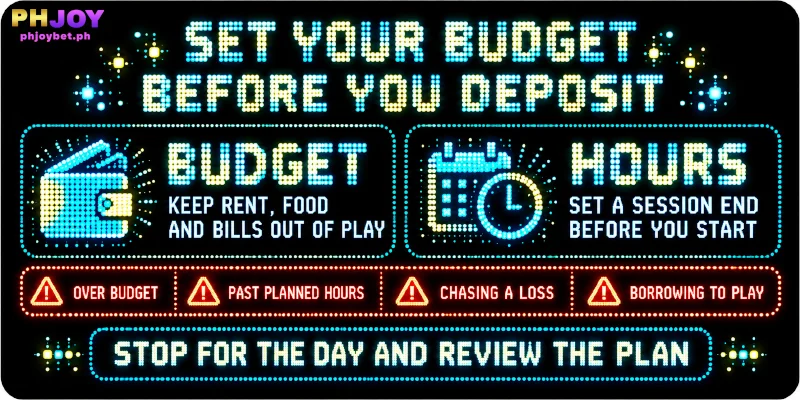
Those figures say what one deposit accepts; what the member can afford is a separate decision, which comes before the screen opens and is the first step of responsible gaming at PHJOY.
Budgets are the amounts a member can lose without touching rent, food, or bills, and hours are the length of a session before the member stops. A limit written before play is easier to keep than one set mid-session, when the last round pulls on the decision.
Four signs show a session slipping past the plan:
- depositing more than the budget
- staying beyond the planned hours
- depositing again to win back a loss
- borrowing money to keep playing
On noticing any of them, a member stops playing for that day and reviews the budget before the next deposit.
Three Stops Before Money Moves: Promotion Default, Payment Details, Wallet Confirmation
A member can stop at three points in the deposit flow, in this order:
- Choose Promotion: the default reads Do Not Participate In Any Promotions, and First Deposit Bonus applies only after the member ticks the offer.
- Payment Details: this screen appears before Apply for Deposit, which makes that step the last check of the amount against the budget.
- Wallet confirmation: after Apply for Deposit, the payment pop-up hands the payment to a wallet or bank app, and the member either confirms the payment there or leaves the deposit unpaid.
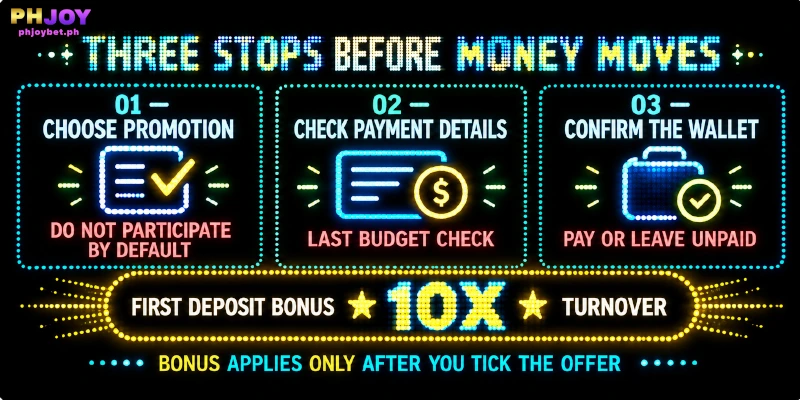
First Deposit Bonus brings a 10X turnover requirement: the deposit plus the bonus must be wagered 10 times on Slot and Fish games before the Available Amount, the part of the balance with its bonus turnover cleared, allows a withdrawal. That requirement raises the betting that stands between the deposit and a payout.
Records a Member Can Open, and How Far Deposit History Reaches
The records for responsible gaming at PHJOY sit in four places: Personal Center has a Profit And Loss screen next to Betting Record and Account Record, and the Deposit page keeps a Deposit History. Each of these screens shows figures a member can check against the budget decided earlier.
Deposit History Shows Only the Last 3 Days
Deposit History reaches back 3 days, so a member with a weekly budget keeps the running total personally. The example below uses deposits of ₱500 on day 1, ₱300 on day 3 and ₱200 on day 6, with the history opened on day 7:
| Deposit (example amounts) | In Deposit History on day 7 | Member’s own running tally |
|---|---|---|
| ₱500 on day 1 | No | ₱500 |
| ₱300 on day 3 | No | ₱800 |
| ₱200 on day 6 | Yes | ₱1,000 |
A Weekly Budget Needs a Personal Tally Kept Each Day
Because Deposit History stops at 3 days, a member with a weekly budget adds each deposit to a personal tally on the day of the deposit. The history alone would show ₱200 of a ₱1,000 week.
What Keeps Other People Off the Account: Two Passwords and the Official Address
For responsible gaming at PHJOY, two passwords stand between an account and someone else’s access: the login password and the Transaction Password, which is asked for with every withdrawal. PHJOY recommends a login password that mixes letters and numbers in uppercase and lowercase.
Members who keep both private also keep the account out of reach of any minor who shares the device. Members sign in at phjoybet.ph or through the official app, the two places PHJOY names for sign-in, because a copy at another address can collect a username and password.
FAQ
These four answers on PHJOY Responsible Gaming cover where a concern goes, what the deposit screen shows, when a withdrawal is open, and whether a bonus can wait.
Can a Member Raise a PHJOY Responsible Gaming Concern With Live Support?
Yes, a member can write to Live Support, the sidebar chat that runs 24/7. The Other Concern department takes a concern about spending or play time at any hour.
What Is the Actual Payment Amount on the Deposit Screen?
Actual Payment Amount is the figure PHJOY shows for a deposit. The figure equals the deposit amount the member picked or typed, so a deposit set to the budget figure shows that same figure.
Can a Member Withdraw at Any Hour After Deciding to Stop?
Yes. A withdrawal can be requested at any hour, up to 20 requests a day. The Available Amount is the part a member can withdraw, so the turnover requirement of a bonus is settled first.
Can the First Deposit Bonus Wait for a Later Deposit?
Yes. The First Deposit Bonus shows a count of 0/1 and can be saved for a later deposit. A used bonus is gone.
Responsible Gaming at PHJOY Splits Between Screens and Members
PHJOY responsible gambling is a split of duties: the screens carry the age line, the Choose Promotion default, Payment Details and the records, and the member keeps the budget, the hours and the decision to stop.